
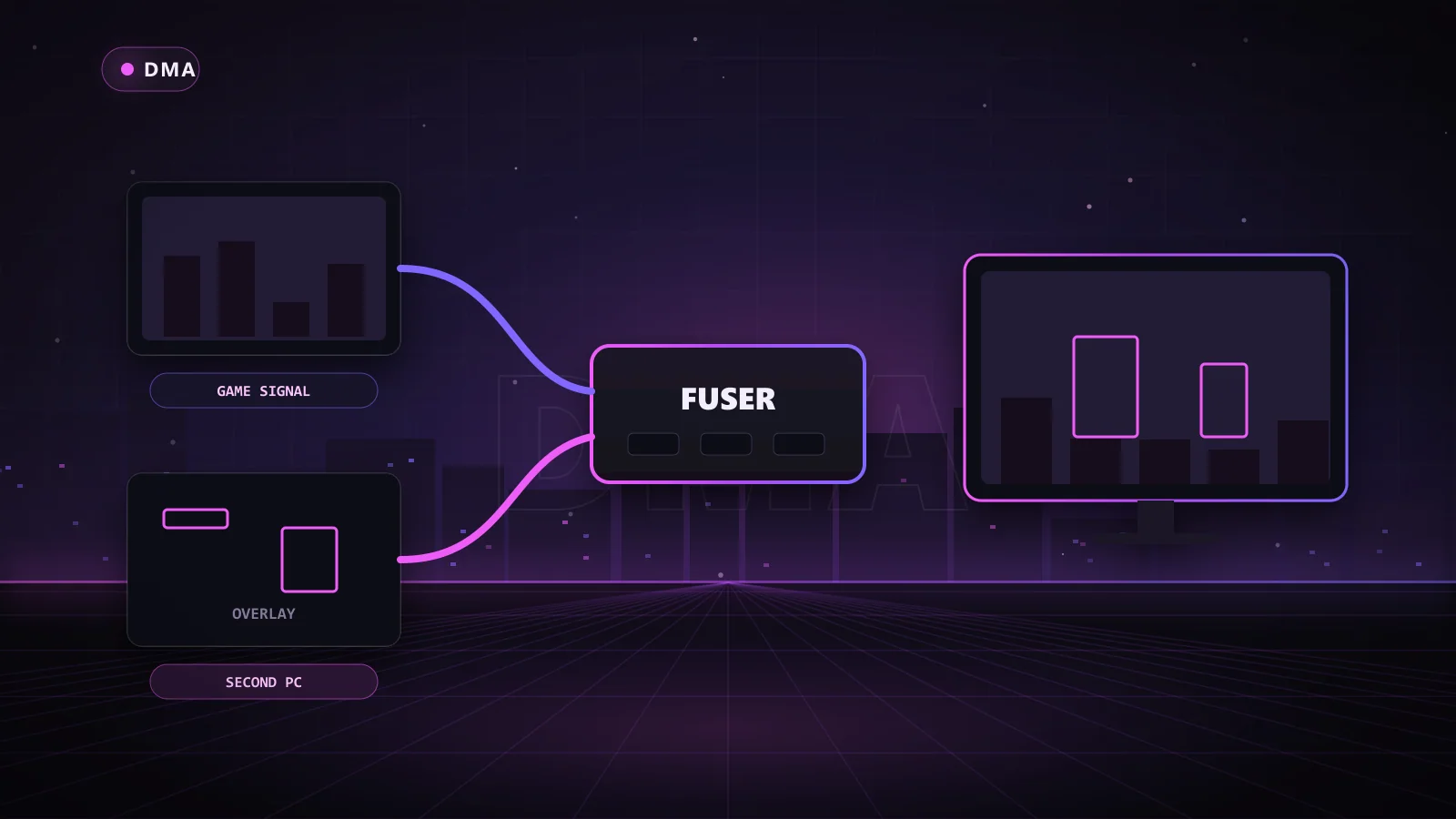
A DMA fuser is a small video box that merges two HDMI signals into one picture: the game from your gaming PC and the ESP overlay drawn by your second PC. The result is ESP boxes, health bars and loot markers sitting right on top of your game, on your main monitor, with nothing extra running on the gaming PC to draw them.
If you have a DMA card and want the cleanest way to actually see what it reads, a fuser is usually the answer. This guide explains how fusers work, which specs matter, how a fuser compares with a second monitor or a web radar, and which Chams fuser matches your screen.
Key Takeaways
- A fuser combines the gaming PC's video and the second PC's overlay into one output for your monitor.
- The gaming PC never renders the overlay, which keeps your setup clean and your frame rate intact.
- Resolution and refresh rate support are the specs that matter most.
- Alternatives include a second monitor or a web radar on your phone or tablet.
- Chams sells the Dichen 6th Gen Fuser and the high-refresh Dichen DC505 4K Fuser, and the 6th Gen is included in the Chams DMA 75t Bundle.
How Does a DMA Fuser Work?
Your second PC runs the DMA software and draws the ESP on a plain background. The fuser takes that feed, removes the background, and lays only the ESP elements over the game feed coming from your gaming PC. Your monitor receives a single combined picture.
The key point is where the work happens. The overlay is drawn on the second PC and merged in hardware. The gaming PC simply outputs the game as normal and has no idea anything is being added on top.
What plugs into a fuser
- Gaming PC video output into the fuser's main input.
- Second PC video output into the fuser's overlay input.
- The fuser's output into your monitor.
That is all there is to it. Our DMA setup walkthrough shows how the fuser fits with the card, firmware and input device.
DMA Fuser Specs That Matter
Not every fuser handles every monitor. Before you buy, match the fuser to your screen:
- Resolution and refresh rate: if you play at 1440p 240Hz, a fuser capped lower will hold you back.
- Connectors: HDMI is standard; some premium fusers add DisplayPort.
- Ultrawide support: check for 3440x1440 if you play on an ultrawide.
- Setup effort: some fusers need flashing; others work out of the box.
Dichen 6th Gen vs Dichen DC505 4K
| Spec | Dichen 6th Gen Fuser | Dichen DC505 4K Fuser |
|---|---|---|
| 1080p | Up to 240Hz | Up to 540Hz |
| 1440p | Up to 144Hz | Up to 355Hz |
| 4K (3840x2160) | 60Hz | Up to 158Hz |
| Ultrawide | 3440x1440 at 100Hz, 2560x1080 at 200Hz | 3440x1440 supported |
| Connections | HDMI | HDMI 2.1 and DisplayPort 1.4 |
| Extras | No flashing required | Built-in capture card, 12V power cable |
| Best for | 1080p and 1440p players, first rigs | High-refresh and 4K players |
The Dichen 6th Gen Fuser is the easy choice for most players: compact, HDMI, no flashing, and smooth at 1080p 240Hz or 1440p 144Hz. The Dichen DC505 4K Fuser is the premium pick for competitive players on fast monitors. Note that with the DC505, both PCs need a dedicated NVIDIA GTX 10-series or newer, or AMD RX 500-series or newer, GPU, and laptops and mini PCs are not supported.
Building from scratch? The Chams DMA 75t Bundle includes the Dichen 6th Gen Fuser alongside the 75t card, your firmware tier and a Makcu input device, so your display path is sorted from day one.
DMA Fuser vs Second Monitor vs Web Radar
A fuser is not the only way to see DMA output. Here is how the three options stack up.
| Option | Pros | Cons |
|---|---|---|
| Fuser | ESP on your main screen, eyes stay on the fight, overlay drawn off the gaming PC | Extra hardware cost, must match your monitor's specs |
| Second monitor | Cheap, simple, good for radar views | You look away from the action to read it |
| Web radar | Works on a phone or tablet, easy to share with your squad | Map view only, no on-screen boxes |
Who should use a fuser
If you play fast shooters where reaction time matters, such as Valorant, Apex Legends, CS2 or The Finals, a fuser is the best choice. The Finals Eden DMA product page even lists a DMA card plus fuser as requirements.
Who can skip it
Slower, information-heavy games like DayZ, Rust and Escape from Tarkov work well with a radar. DayZ DMA, for example, includes both in-game and web radar along with player and zombie ESP and smart loot filtering, so a second screen or phone is a strong option there.
What the Overlay Can Show
With a fuser in place, everything your DMA product draws appears on your monitor. Depending on the game, that includes:
- Player boxes, skeletons, head dots and health bars
- Names, distance and weapon details
- Loot, containers and vehicles
- FOV circles and target lines for aim features
- Radar windows layered into a corner of the screen
Because the overlay is drawn on the second PC, you can usually move, resize and recolor these elements without touching the game at all. Most players start with boxes and health bars, then add loot filters once they know what they are hunting for.
Setting Up a Fuser Without Headaches
Fuser setup is quick, but a few habits save a lot of troubleshooting:
- Match output settings on both PCs: set the gaming PC and the second PC to the same resolution and refresh rate, so the fuser is merging two matching signals.
- Use quality cables: high-refresh signals need cables rated for them. A cheap HDMI cable is the most common cause of flicker or a missing overlay.
- Use a plain background on the overlay PC: your DMA software draws the ESP on a solid background so the fuser can remove it cleanly. Keep other windows off that screen.
- Test before you queue: load into a practice mode, confirm the boxes line up with players, then adjust overlay scaling if anything is offset.
- Keep the monitor in its native mode: after connecting the fuser, check your monitor settings to make sure it is still running at the refresh rate you expect.
If anything does not line up, Chams support can walk you through it. Most issues come down to a resolution mismatch or a cable, and both are quick fixes.
Choosing the Right Fuser for Your Game
Think about how you play, not just what monitor you own. In competitive shooters, every frame matters, so a fuser that keeps your full refresh rate is worth the investment. The DC505 4K is built for that, with up to 540Hz at 1080p and up to 355Hz at 1440p.
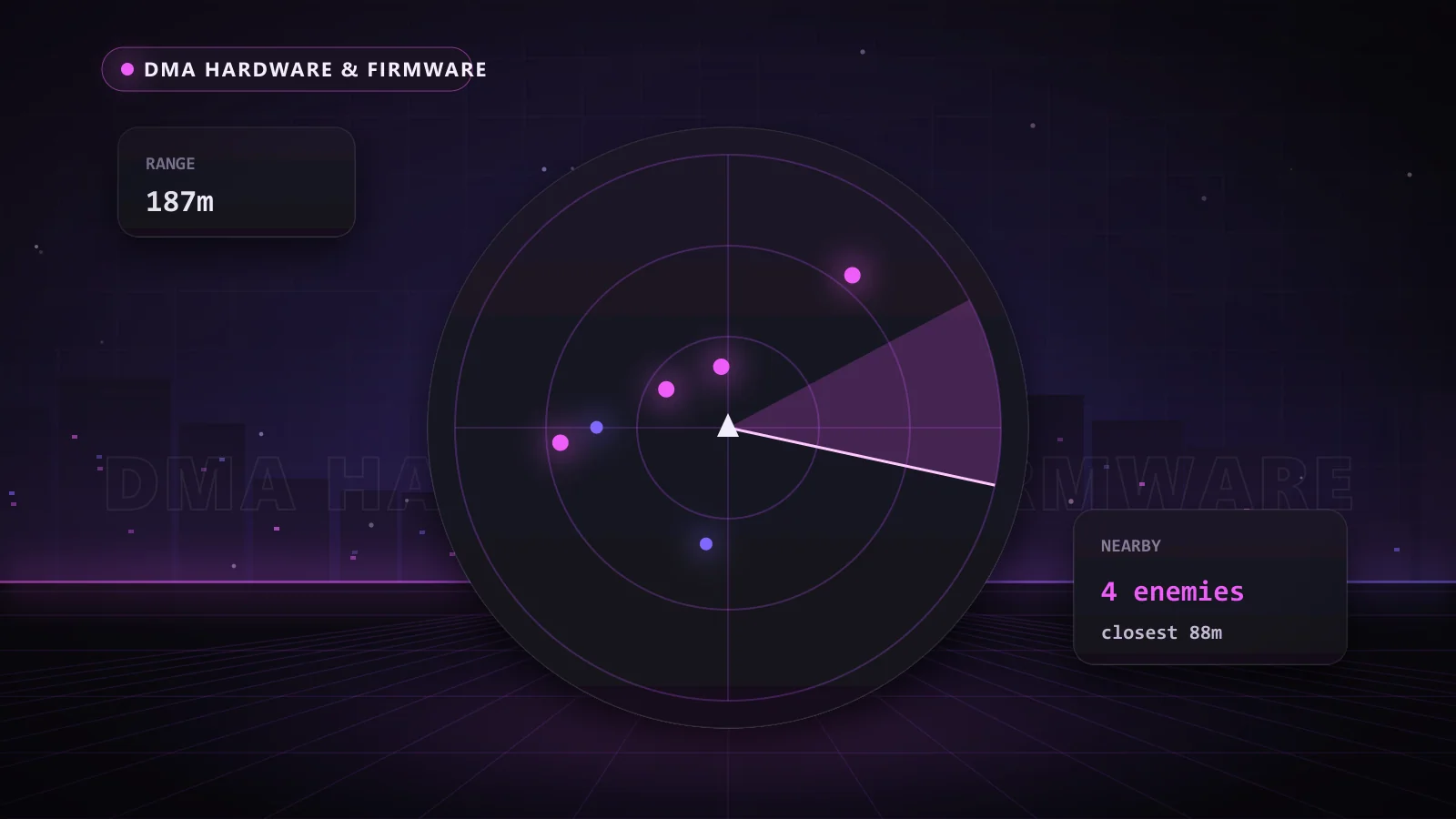
In battle royales and large-map shooters such as Apex Legends, Black Ops 7 or ARC Raiders, players often combine a fuser with a radar window, so close-range ESP sits on screen while the radar tracks squads further out. For extraction and survival games, a radar on a second screen can be enough, and the fuser becomes a nice upgrade rather than a must-have. Whichever route you take, the same fuser works across every DMA game you add later.
Does a DMA Fuser Add Input Lag?
A well-built fuser passes the game signal through with minimal processing, which is why choosing one rated for your monitor's refresh rate matters. The bigger risk is a mismatch: a fuser that cannot handle your refresh rate forces your monitor down to a lower mode. Pick the 6th Gen for up to 240Hz at 1080p, or the DC505 if you want to go higher.
Is a Fuser Visible to the Gaming PC?
The gaming PC sees a display connected to its video output. The overlay is created on the second PC and merged after the signal leaves the gaming PC, so nothing is drawn by software on the gaming machine. As always, check the Chams status page for the live status of your DMA product before you play.
Why Choose Chams
- Fusers matched to real monitors: from 1080p 240Hz to 4K high refresh.
- The full DMA chain: cards, firmware, Makcu and game software that work together.
- Real support: help connecting your fuser and tuning your overlay.
- Live status and frequent updates: DMA products maintained as games patch, with keys delivered automatically right after payment.
Frequently Asked Questions
What does a fuser do in a DMA setup?
It merges the second PC's ESP overlay with your gaming PC's video, so you see both on one monitor.
Can I use a DMA fuser with a 240Hz monitor?
Yes. The Dichen 6th Gen supports 1080p at 240Hz, and the DC505 4K supports up to 540Hz at 1080p.
Is a web radar better than a fuser?
It depends on the game. Web radar is great for survival and extraction games; a fuser is better for fast shooters where you need ESP on screen.
Does the fuser work with DisplayPort?
The Dichen DC505 4K supports DisplayPort 1.4 as well as HDMI 2.1. The 6th Gen uses HDMI.
Do I need to flash the fuser?
No. The Dichen 6th Gen requires no flashing.
See Every Threat on One Screen
A fuser is the upgrade that makes DMA feel effortless: your ESP sits right where you are already looking. Grab the Dichen 6th Gen Fuser for most monitors, or explore cards, firmware and the DC505 on the DMA hardware page.